If you've been curious about Ledger hardware wallets, you likely have questions about their security, features, and how they operate. This article aims to clarify common inquiries and address misconceptions, building your understanding step by step.
Disclaimer: This article is for informational purposes only and does not constitute financial advice. Always conduct your own research before making any financial decision.
Understanding Ledger Security
Does Ledger Have a Backdoor?
A backdoor refers to unauthorized access to a device or service. No one, including Ledger, has access to your wallet; only you do. Ledger has never had access to your wallet.
Is Ledger Open Source?
Ledger is 95% open source, including the Ledger Live app, wallet API, secure SDK, apps, the operating system, and the Ledger Recover code. The only closed-source part is the Secure Element chip, a proprietary chip designed to enhance cold wallet security, which Ledger is legally not allowed to share.
Has Ledger Ever Been Hacked?
The Ledger device itself has never been compromised. In 2020, about a million customer emails and phone numbers were leaked due to a data breach on Shopify, not Ledger's website. Later, in 2023, a vulnerability was found in a third-party component used in their connect kit software, but it was quickly patched.
Where Should You Buy a Ledger Wallet?
You should only buy Ledger wallets directly from the official manufacturer website, shop.ledger.com. This practice eliminates the risk of purchasing a fake or compromised device.
Is Ledger Audited?
Ledger products are audited by third-party security companies like Synacktiv. Ledger also employs an internal team of white hat hackers known as 'The Ledger Donjon' to test all products and new features before public release. This team's sole job is to try and hack Ledger wallets to ensure their safety.
Does Ledger Collect Your Data?
Ledger Live collects some data such as device session identifiers, IP addresses, and app usage details to improve services. However, this data does not directly link to your wallet address or identity, and most data collection can be disabled by opting out in the app. Signing up for Ledger Recover does involve ID verification to regain wallet access.
Is Ledger Live Safe?
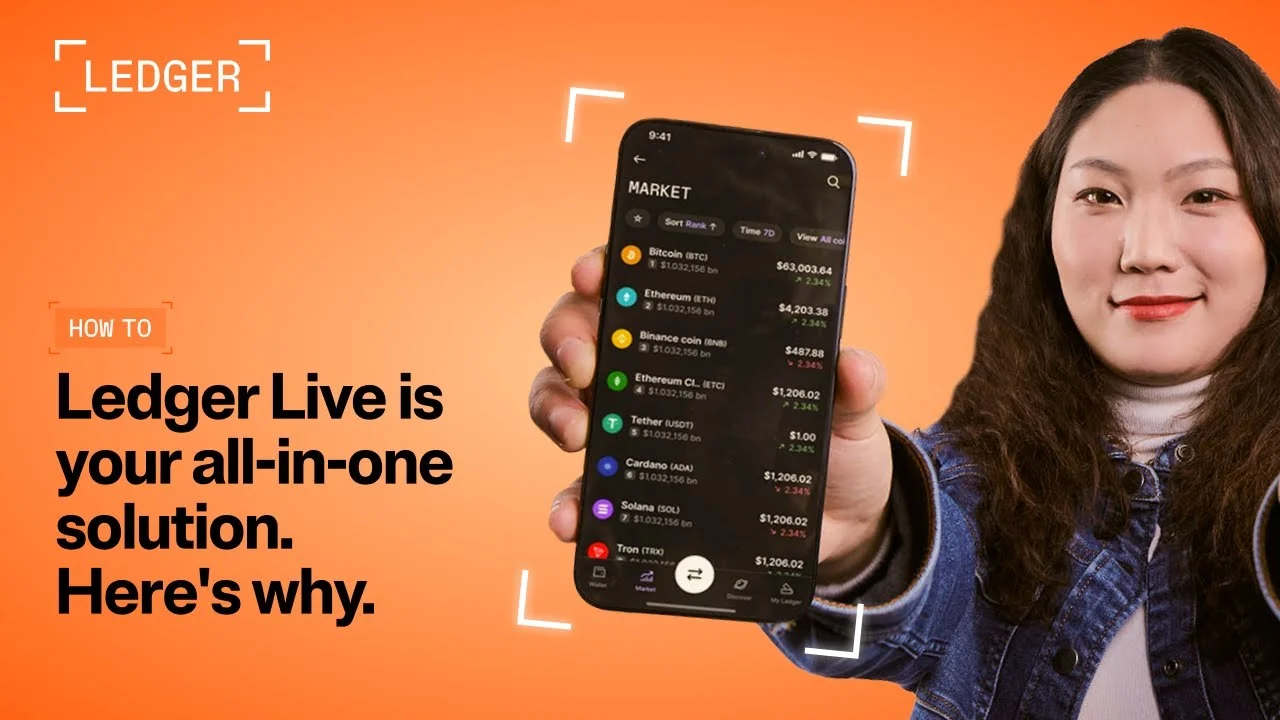
Ledger Live is the main application used to manage your Ledger hardware wallet, allowing it to communicate with the blockchain. It is 100% open source and audited. Your private keys never leave the actual Ledger device, ensuring your keys are never at risk.
Can You Verify Your Ledger Wallet's Firmware is Genuine?
All Ledger wallets perform a genuine check during setup to verify that the firmware is authentic. When you set up a new Ledger wallet or connect it to Ledger Live, it automatically checks the firmware.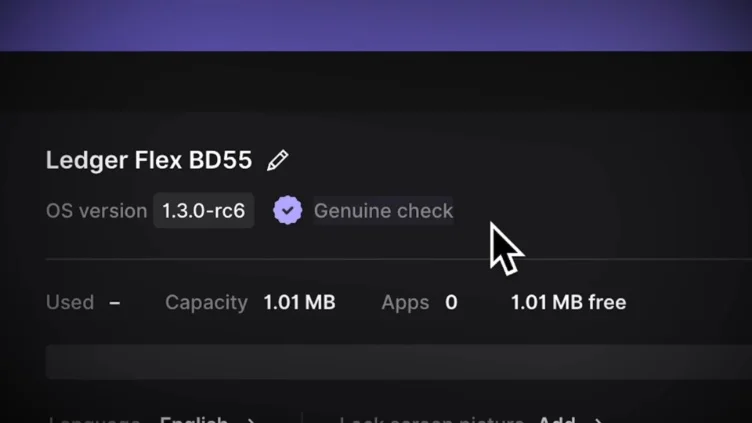
What is a Secure Screen?
All Ledger hardware wallets feature a secure screen that is powered directly by the Secure Element chip. This design helps prevent man-in-the-middle attacks and other transaction-related attacks. It also enables clear signing, which presents complex transaction data in a human-readable form before you approve it.
What Happens if Ledger Goes Out of Business?
If Ledger were to go out of business, your crypto assets would remain safe and accessible on the blockchain. Crypto is not stored in wallets but on the blockchain, and you can recover access using your 24-word seed phrase with a different brand of wallet
Does Ledger Support Using a Passphrase (Hidden Wallets)?
A passphrase is an extra word or phrase added to your 24-word seed phrase to create a hidden wallet, offering enhanced security. All Ledger wallets support using a passphrase, allowing you to create or import one.
Ledger Features and Functionality
Will Your Ledger Wallet Still Work if the Battery Dies?
If the internal battery of a Ledger wallet dies, you can still use it by connecting it directly to a computer. Even without battery power, the device remains functional when plugged in.
How Can You Recover a Ledger Wallet?
To regain access to your crypto on a new Ledger device, you can import your existing 24-word seed phrase during the setup process. Selecting the "import recovery phrase" option and entering the seed phrase chronologically will restore access to your associated crypto assets.
What is Ledger Recover?
Ledger Recover is an optional subscription service designed to help users regain access to their wallets. When activated, your wallet double encrypts your master key, splits it into three encrypted fragments, and sends each piece to a different company in different parts of the world. The key can only be decrypted using your Ledger device and requires your approval on the device itself.
What is the Ledger Recovery Key?
The Ledger Recovery Key is a separate product that allows you to securely copy your wallet seed phrase onto an NFC PIN-protected card. This card can then be scanned to regain access to your Ledger wallet, instead of manually entering the 24-word seed phrase. This feature is compatible with Ledger Flex and Ledger Stax wallets, which have NFC capabilities.
Can You Use Third-Party Wallets with Ledger?
You can connect your Ledger hardware wallet to third-party software wallets like MetaMask to access more networks and features. This allows you to benefit from the security of the physical Ledger device, as your keys never leave the device, while using other software interfaces.
Does Ledger Support Multisig?
Multisig is an advanced security feature requiring multiple signatures to approve a transaction. Ledger does not natively support setting up multisig directly on the device. However, you can connect your Ledger wallet to an external multisig platform, such as Safe.global, to enable this functionality.
Does Ledger Support All Cryptos?
Ledger supports over 6,000 different coins and NFTs across 73 different blockchain networks. If a specific network is not natively supported, you can often connect your Ledger wallet to a different software wallet app to extend support while maintaining device security.
Can You Connect Multiple Ledger Wallets to Ledger Live?
Yes, you can manage multiple Ledger wallets using the same Ledger Live application. Simply plug in each wallet and enter its PIN to access and manage its associated crypto assets within the app.
Does Ledger Support Multiple Receiving Addresses?
Ledger allows you to generate multiple receiving addresses for your crypto accounts, including Bitcoin, Ethereum, and Solana. This feature can be used for increased privacy.
Can You Stake Crypto on Ledger?
You can stake crypto assets like Ethereum, Solana, Polkadot, and Cosmos natively within Ledger Live. This allows you to earn passive income securely using your Ledger hardware wallet.
Can You Sell Crypto to a Bank Directly From Ledger Live?
While you can initiate the sale of crypto within Ledger Live, the transaction is handled by third-party services like Coinify, Transact, or Bitcoin Direct. These services convert your crypto to fiat currency and then send it to your bank, meaning you are still interacting with a centralized exchange, but through a streamlined process within the Ledger Live app.
Common Ledger Queries
Why Do Ledger Wallets Have Limited Memory?
Ledger wallets have a limited memory capacity for the number of applications you can install, not for the amount of crypto you can store. Depending on the apps, a device can usually hold anywhere from 10 to 100 applications.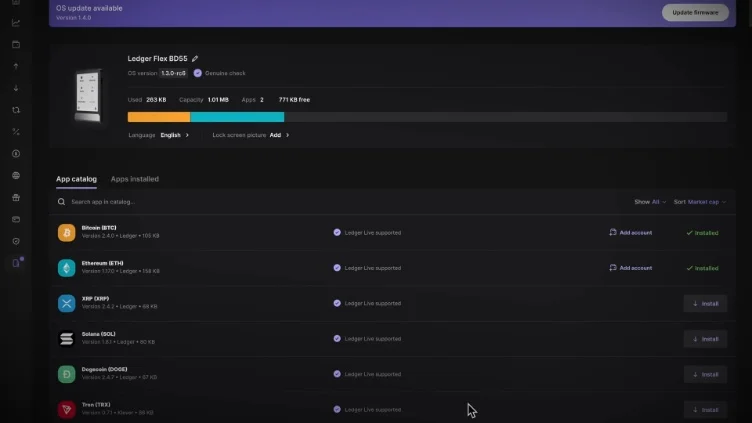
Where Are Ledger Wallets Made?
Ledger manufacturing varies, with some components made in China. Two of their wallets are made in France, where the company is headquartered, while the Flex and Stax models are made in Vietnam, with shipments from France or Memphis, Tennessee.
Are Ledger Wallets Good for Beginners?
Ledger wallets are generally beginner-friendly and include guided setups. The Ledger Live app is easy to use, and newer models like the Flex and Stax provide step-by-step walkthroughs, making them suitable for those new to hardware wallets.
Do You Need a Computer to Use a Ledger Wallet?
You do not need a computer to use a Ledger wallet as long as you have a modern smartphone. Ledger wallets can connect with Mac, Windows, Linux desktops, or iOS and Android mobile devices.
Does Ledger Charge Any Fees?
Beyond the initial purchase cost of your Ledger wallet, there are no fees for its basic use. However, using features within Ledger Live like buying, selling, swapping, or staking through third-party providers will incur service fees. Blockchain transaction fees also apply, and Ledger Recover is an optional, subscription-based service.
How Much Crypto Can You Hold on Your Ledger Wallet?
There is no limit to how much crypto your Ledger wallet can "hold," because wallets do not store crypto directly. Instead, they store the private keys used to access your crypto on the blockchain. You can technically secure any amount of crypto using a single Ledger wallet.
Do Ledger Wallets Require Firmware Updates?
Yes, most hardware wallets, including Ledger, require firmware updates for new features and security fixes. Updating is straightforward via Ledger Live, which will notify you if an update is needed, and can be done through a computer or a smartphone via Bluetooth.
Which Ledger Wallet is Safest?
All Ledger wallet models—the Nano S+, Nano X, Flex, and Stax—are equally secure for keeping your crypto safe. They all incorporate a Secure Element chip, a secure screen, and are audited and tested by The Ledger Donjon.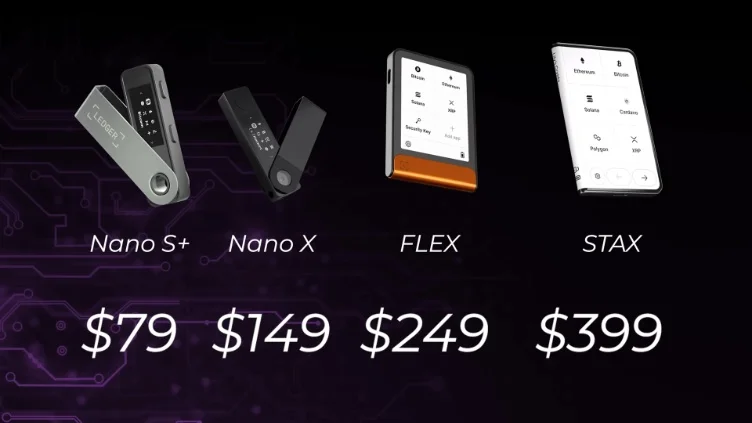
Key Terms
- Backdoor: Unauthorized access to a device or service.
- Blockchain: A distributed, public ledger that records cryptocurrency transactions.
- Firmware: The permanent software programmed into a read-only memory of a hardware device.
- Hardware Wallet: A physical device that stores the private keys to cryptocurrencies offline, enhancing security.
- Ledger Live: The desktop and mobile application used to manage a Ledger hardware wallet.
- Multisig: An advanced security feature requiring multiple signatures to approve a transaction.
- Passphrase: An extra word or phrase added to a 24-word seed phrase to create a hidden wallet.
- Private Keys: Cryptographic codes that allow access to and control over cryptocurrency assets on the blockchain.
- Secure Element Chip: A proprietary, virtually hack-proof chip enhancing the security of cold wallets.
- Secure Screen: A screen powered directly by the Secure Element chip, designed to prevent certain attacks and enable clear signing.
- Seed Phrase: A series of 12 or 24 words that acts as the master key to recover cryptocurrency funds.
- The Ledger Donjon: Ledger's internal team of white hat hackers who test product security.
- White Hat Hackers: Ethical security researchers who test systems for vulnerabilities to improve security.
Common Misconceptions
One common misconception is that Ledger wallets have a limit on the amount of crypto they can store. In reality, Ledger wallets have limited memory for the number of applications that can be installed on the device, not the quantity of crypto assets held.
Frequently Asked Questions
Are Ledger wallets manufactured in a single location?
No, Ledger manufacturing varies; some components are made in China, while others are in France or Vietnam.
Can you connect a Ledger wallet to third-party software like MetaMask?
Yes, you can connect your Ledger wallet to third-party software wallets like MetaMask to access more networks and features.
Do Ledger Live features like staking or swapping have additional costs?
Yes, actions in Ledger Live like buying, selling, swapping, or staking through third-party providers involve service fees.
Is it possible to manage multiple Ledger devices with one Ledger Live app?
Yes, you can manage multiple wallets using Ledger Live by connecting each device.
What is clear signing on a Ledger wallet?
Clear signing on a Ledger wallet takes complex transaction data and puts it into a human-readable form so you know exactly what you are signing before you approve it.