Before understanding how Ledger Live works, it helps to understand what it's replacing: the need for separate interfaces for each digital asset you own, which can often be complex. Ledger Live consolidates these functions into one secure application, allowing you to manage your digital assets with confidence.
Disclaimer: This article is for informational purposes only and does not constitute financial advice. Always conduct your own research before using any platform or service.
What You Need Before You Start
Requirement Details
Ledger Device | A Ledger Flex, Ledger Stax, or Ledger Nano device. |
Ledger Live App | Downloaded and installed from the App Store (iOS) or Google Play Store (Android). |
Device Setup | Your Ledger device should be initialized and ready to use, with its firmware updated to the latest version. |
What Is Ledger Live?
Ledger Live is a companion application designed to work with your Ledger hardware device, such as a Ledger Nano S or Ledger Nano X. Think of it like a secure dashboard for your digital assets, allowing you to interact with various blockchains and manage your crypto directly from your smartphone or computer. While your Ledger device keeps your private keys – the critical information that proves you own your digital assets – offline and secure, Ledger Live provides the user-friendly interface to view balances, send, receive, and interact with different features.
With Ledger Live, you can perform essential tasks like updating the firmware on your Ledger device to maintain optimal security and performance. You can also install specific blockchain applications onto your device, which enable it to communicate with different blockchain networks. This connectivity allows you to manage a wide range of cryptocurrencies and digital assets, all while maintaining the high level of security that a hardware wallet provides.
Ledger Live: The companion application used for managing Ledger hardware devices, including updating firmware, installing blockchain apps, and managing digital assets.
Step-by-Step Guide
Getting Started with Accounts
- Download the Ledger Live app from your device's App Store or Google Play Store.
- Once installed and opened, the first step is to add accounts for the specific digital assets you wish to manage within Ledger Live. This process connects your Ledger device to the app, allowing it to display your asset balances.
How to Buy Cryptocurrency
- Tap the arrows icon located at the bottom of the screen. This icon provides access to the main features of the app.
- From the menu that appears, select Buy.
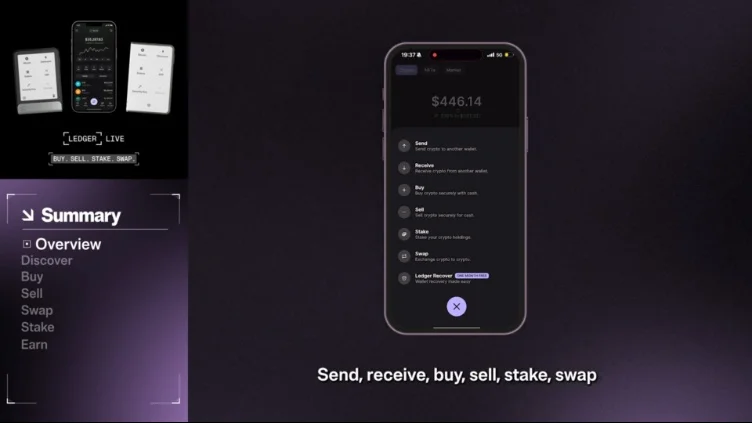
- Choose the cryptocurrency you wish to purchase, for example, Bitcoin, from the list of available assets.
- Enter the desired amount of cryptocurrency you want to buy.
- Select your preferred payment method (e.g., MasterCard).
- A list of available providers will appear. Review these options and select the provider that best suits your needs.
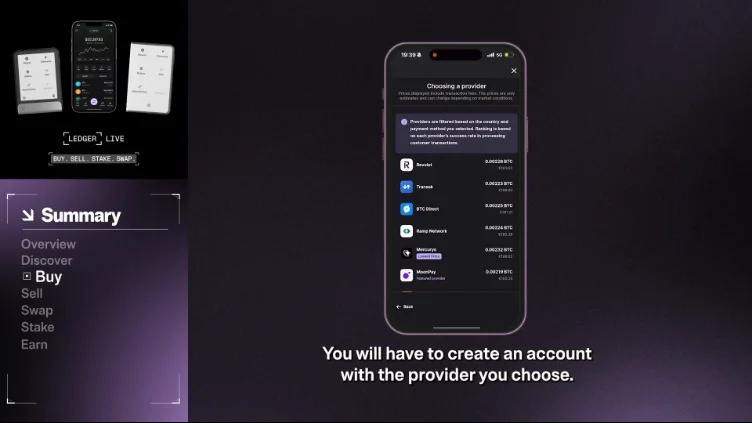
- You will need to either log into an existing account with your chosen provider or create a new one.
- Carefully review the proposed rates and any associated fees, then Confirm the transaction.
How to Sell Cryptocurrency
- Tap the arrows icon at the bottom of the screen to open the main menu.
- Select Sell from the options.
- Choose the digital asset you wish to sell, such as Bitcoin.
- Enter the amount of the asset you want to sell.
- You will be prompted to log into an existing account with a provider or to create a new one if you haven't already.
- Review the transaction details and Confirm the sale on your Ledger device to authorize it securely.
How to Swap Cryptocurrencies
Swapping allows you to exchange one type of cryptocurrency for another directly within Ledger Live.
- Before initiating a swap, ensure that the Exchange app is downloaded and installed on your Ledger device. You can usually find this in the 'My Ledger' section of Ledger Live.
- Tap the arrows icon at the bottom of the screen to access the main menu.
- Select Swap from the available features.
- Choose the asset you currently hold and wish to swap, and then select the asset you wish to receive in return.
- Enter the specific amount you want to swap.
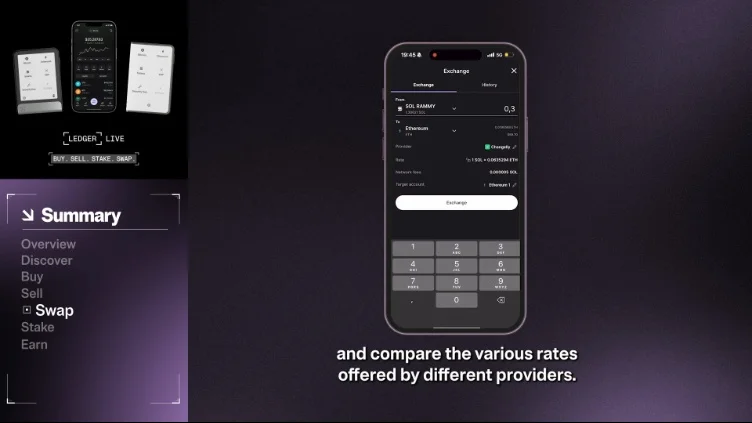
- Ledger Live will display various rates offered by different providers. Compare these and select your preferred provider.
- Open the Exchange app directly on your Ledger device.
- Carefully review the swap transaction details on your Ledger device's screen and within the Ledger Live app, then Confirm the swap on your device to finalize it securely.
How to Stake Cryptocurrencies
Staking is a way some blockchains validate transactions and secure their networks. If you hold certain digital assets, you can participate in staking to help secure the network.
- Tap the arrows icon at the bottom of the screen.
- From the menu, choose Stake.
- Select your preferred coin for staking, for example, Solana.
- You will then need to choose a staking pool or validator. A validator is an entity that helps confirm transactions on a proof-of-stake blockchain.
- Specify the amount of the asset you wish to stake.
- Carefully verify the transaction details and confirm it on your Ledger device.
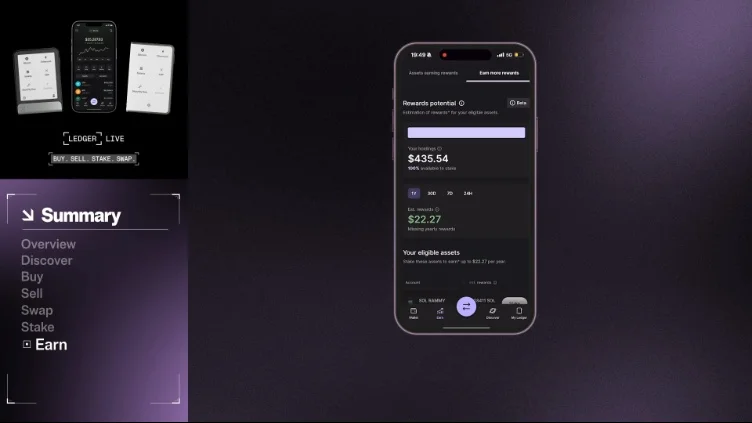
- You can monitor your staking rewards and overall staking activity using the Earn dashboard within Ledger Live.
Common Errors and How to Fix Them
Issue Cause Resolution/Prevention
Slashing during staking | Staking with a validator that acts maliciously or does not follow network rules. | Carefully research and choose a reputable staking pool or validator before committing your assets. |
Frequently Asked Questions
- Is staking with Ledger Live safe? Staking through Ledger Live allows you to participate in securing blockchain networks while your private keys remain protected by your hardware device. However, a risk called 'slashing' exists if you choose a malicious or non-compliant validator, potentially leading to a loss of some staked assets or missed rewards. Always research your chosen validator carefully.
- What is Ledger Live primarily used for? Ledger Live is the central application for managing your Ledger hardware device and the digital assets stored offline by it. It allows you to update firmware, install blockchain apps, and securely buy, sell, swap, and stake cryptocurrencies.
- Do I need to confirm every transaction on my Ledger device? Yes, for security, all significant transactions such as sending, selling, swapping, or staking cryptocurrencies require a manual confirmation directly on your physical Ledger hardware device. This ensures that even if your computer or phone is compromised, your assets remain secure.
- Can I choose different providers for buying, selling, and swapping crypto? Yes, Ledger Live offers the flexibility to choose from multiple integrated providers for services like buying, selling, and swapping cryptocurrencies. This allows you to compare rates and select the provider that offers the most favorable terms for your transaction.
- What happens if a staking validator acts maliciously? If a validator acts maliciously or fails to follow the network's rules, a mechanism called 'slashing' can occur. This means you might lose a portion of your staked assets, or you may not receive the expected staking rewards. It's crucial to select a trustworthy and reliable validator to mitigate this risk.